
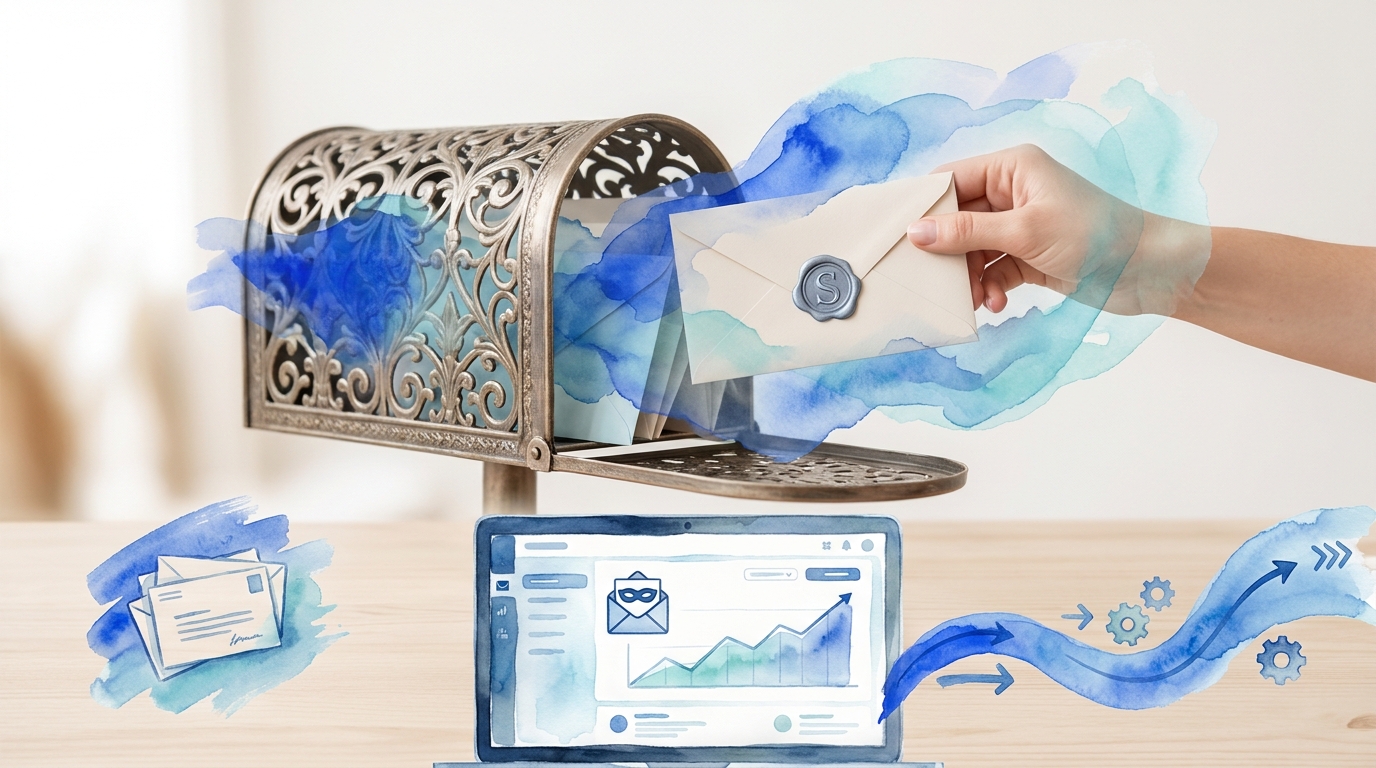
TL;DR: Hide My Email is a privacy feature offered by Apple that generates unique, random email addresses to mask your real email when signing up for services or newsletters. These disposable addresses forward messages to your actual inbox while protecting your identity and reducing spam, giving you control over who has access to your real email address.
Frequently Asked Questions

What is Hide My Email and how does it work?
Hide My Email is a privacy feature that generates unique, random email addresses that forward messages to your real inbox. When you use this feature, you can sign up for services, newsletters, or send cold emails without exposing your actual email address. This protects your primary email from spam, tracking, and potential data breaches while maintaining full communication capabilities.
Can I use Hide My Email for cold email campaigns?
While Hide My Email is primarily designed for receiving emails privately, it’s not recommended for cold email outreach campaigns. Email providers may flag forwarded addresses as suspicious, reducing deliverability rates. Instead, use dedicated business email accounts or professional cold email automation tools that support custom domains and proper authentication (SPF, DKIM, DMARC) for better inbox placement and reply rates.
How do I hide my email address when sending bulk emails?
To hide your email when sending bulk campaigns, use email automation platforms that support sender aliases and custom domains. Set up a professional domain email rather than using personal accounts like Gmail or Yahoo. Implement BCC (blind carbon copy) for smaller lists, or use dedicated cold email software that personalizes sender information while protecting your primary address and managing bounces automatically.
Does hiding my email affect email deliverability in outreach campaigns?
Yes, hiding or masking your email can negatively impact deliverability if not done properly. Email providers verify sender authenticity through SPF, DKIM, and DMARC records. Using forwarding services or alias addresses without proper authentication may trigger spam filters. For successful cold email campaigns, use verified business domains with proper DNS configuration and warm up your sending addresses to maintain strong deliverability rates.
What’s the difference between Hide My Email and creating a new Gmail account?
Hide My Email generates temporary forwarding addresses that route to your existing inbox, while creating a new Gmail account establishes a separate, permanent email identity. Hide My Email offers quick privacy without managing multiple inboxes, ideal for one-time signups. New Gmail accounts provide full email functionality, custom addresses, and are better suited for business purposes, cold email campaigns, or long-term communication needs.
Can I use Hide My Email with AT&T email or GoDaddy email services?
Hide My Email is primarily an Apple iCloud+ feature and doesn’t directly integrate with AT&T (att.net) or GoDaddy email services. However, you can forward hidden email addresses to any email provider, including AT&T or GoDaddy accounts. For these services, consider using email aliases or plus addressing (yourname+tag@domain.com) as alternatives to protect your primary address while maintaining provider-specific features.
How does hiding my email help with CRM and inside sales processes?
Hiding your email in CRM and inside sales contexts protects team members’ personal addresses while maintaining professional communication. Use role-based emails (sales@company.com) or CRM-integrated email addresses that route to appropriate team members. This approach prevents spam accumulation on personal accounts, enables better tracking of customer interactions, improves team collaboration, and maintains continuity when team members change roles or leave.
Should I hide my email when using cold email automation tools?
Rather than hiding your email in cold email automation, use dedicated business email addresses with proper authentication. Professional outreach requires transparency and trust-building with recipients. Set up domain-specific sending addresses, implement proper email infrastructure, and use automation tools that manage sender reputation. This approach increases deliverability, builds credibility, and generates better reply rates than attempting to mask your identity during outreach campaigns.
Understanding Hide My Email: Your Guide to Privacy-First Communication 🔒

In today’s digital landscape, protecting your personal information has become more critical than ever. The “hide my email” feature represents a revolutionary approach to managing your online privacy while maintaining seamless communication. This technology allows you to create unique, random email addresses that forward to your actual inbox, keeping your real email address private from websites, apps, and services.
Whether you’re concerned about spam, data breaches, or simply want better control over who has access to your primary email address, understanding how to hide my email can transform your digital security strategy. This comprehensive guide explores everything you need to know about email privacy protection, from basic concepts to advanced implementation strategies.
Privacy-conscious users across platforms—from those managing my emails yahoo accounts to professionals handling crm inside sales communications—are increasingly adopting email masking technologies to safeguard their digital identities.
What Is Hide My Email and Why It Matters

Hide My Email is a privacy feature that generates unique, random email addresses that automatically forward messages to your personal inbox. Instead of sharing your real email address when signing up for newsletters, creating accounts, or making online purchases, you provide a disposable alias that protects your identity.
This technology serves as a barrier between your personal information and the countless services requesting your email address. Each generated address is unique, making it easy to identify which services might be selling or sharing your information if you start receiving unwanted messages.
Key Benefits of Email Hiding Technology
- Enhanced Privacy Protection: Your real email address remains hidden from third-party services and potential data breaches
- Spam Prevention: Easily identify and block sources of unwanted emails by deactivating specific aliases
- Identity Tracking: Determine which companies are sharing or selling your information
- Simplified Management: Control all forwarding addresses from a centralized dashboard
- Professional Separation: Keep personal and business communications distinct without multiple accounts
How Email Masking Differs from Traditional Email Management
Traditional email management often involves creating multiple accounts across different providers—perhaps maintaining separate accounts for email with att net, sign in for att email, or managing log into hotmail email credentials. This approach becomes cumbersome and difficult to maintain.
Email masking simplifies this process by allowing you to generate unlimited aliases connected to a single primary inbox. You don’t need to remember multiple passwords or check different accounts—everything arrives in one centralized location while maintaining privacy barriers.
Popular Platforms Offering Hide My Email Features 📧
Several major technology companies and email providers now offer email hiding capabilities, each with unique features and integration options. Understanding the differences helps you choose the right solution for your needs.
| Platform | Primary Features | Integration Level | Best For |
|---|---|---|---|
| Apple Hide My Email | Unlimited aliases, Safari integration, iCloud+ exclusive | Deep iOS/macOS integration | Apple ecosystem users |
| Firefox Relay | Browser extension, mobile app, custom domains | Cross-platform compatibility | Privacy-focused users |
| DuckDuckGo Email Protection | Tracker blocking, unlimited forwarding | Browser-based | Privacy advocates |
| Fastmail Masked Email | Custom domains, advanced filtering | Full email service | Power users |
Apple’s Hide My Email Service
Apple’s implementation stands out for its seamless integration across devices and applications. Available to iCloud+ subscribers, this service generates random email addresses directly within Safari, Mail, and third-party apps that support Sign in with Apple.
The system automatically creates unique addresses on demand, making it effortless to protect your privacy without interrupting your workflow. Each alias can be managed, labeled, and deactivated individually through your iCloud settings.
Browser-Based Email Protection Solutions
Firefox Relay and DuckDuckGo Email Protection offer platform-agnostic solutions that work across different operating systems and devices. These services typically provide browser extensions that integrate directly into web forms, suggesting masked email addresses when you’re creating new accounts.
These solutions often include additional privacy features like tracker blocking and email sanitization, removing hidden tracking pixels before messages reach your inbox.
How to Set Up and Use Hide My Email
Implementing email hiding technology varies depending on your chosen platform, but the general process follows similar principles. Here’s a comprehensive guide to getting started with the most popular services.
Setting Up Apple Hide My Email
- Subscribe to iCloud+: Ensure you have an active iCloud+ subscription (starting at $0.99/month)
- Access Settings: Navigate to Settings > [Your Name] > iCloud > Hide My Email
- Generate Addresses: Tap “Create New Address” or let Safari suggest addresses automatically
- Label Aliases: Add descriptive labels to remember which service uses each address
- Manage Forwarding: Control which addresses remain active and which to deactivate
Implementing Firefox Relay
Firefox Relay provides a straightforward setup process that works across browsers and platforms. The service offers both free and premium tiers, with the premium version supporting custom domains and unlimited aliases.
- Create Firefox Account: Sign up at relay.firefox.com using your existing Firefox credentials
- Install Browser Extension: Add the Relay extension to your browser for automatic integration
- Generate Aliases: Click the Relay icon in email fields to create new masked addresses
- Configure Settings: Set up custom domains and forwarding preferences in your dashboard
- Monitor Activity: Track which aliases receive messages and block unwanted sources
Best Practices for Email Alias Management
Effective use of hide my email features requires thoughtful organization and management strategies. Without proper labeling and tracking, you may lose track of which aliases serve which purposes.
- Use Descriptive Labels: Name each alias based on the service or purpose (e.g., “newsletter-techsite” or “shopping-retailer”)
- Regular Audits: Periodically review active aliases and deactivate those no longer needed
- Strategic Application: Reserve your real email for trusted contacts and use aliases for everything else
- Documentation: Maintain a simple spreadsheet tracking important aliases for critical services
- Test Forwarding: Verify new aliases work correctly before relying on them for important communications
Hide My Email for Business and Professional Use 💼
While email hiding technology initially targeted consumer privacy concerns, professionals and businesses increasingly recognize its value for managing crm inside sales operations, lead generation, and customer communications.
Sales teams conducting outreach campaigns can benefit from email masking when testing different approaches or segmenting communications. Similarly, marketing professionals managing multiple campaigns can use aliases to track response rates and identify the most effective messaging strategies.
Integration with Business Email Systems
Professional email services like those managing email with att net accounts or enterprise Gmail implementations can incorporate email hiding features through third-party services or custom domain configurations.
When setting up business email masking, consider these implementation strategies:
| Strategy | Use Case | Implementation Complexity |
|---|---|---|
| Catch-All Addresses | Custom domain with unlimited aliases | Medium |
| Plus Addressing | Gmail-style tagging (email+tag@domain.com) | Low |
| Subdomain Routing | Department or campaign-specific masking | High |
| Third-Party Services | Professional email masking platforms | Low to Medium |
Email Privacy in Sales and Marketing
For professionals learning how can we write email campaigns that convert, email masking provides valuable insights into which messages generate responses and which sources might be compromising your sender reputation.
Using masked addresses for different campaign segments allows you to:
- Track campaign performance with precision
- Identify potential email list quality issues
- Protect your primary domain reputation
- Test new outreach strategies without risk
- Segment responses by source or campaign type
When managing gmail email account recovery processes or helping team members with gmail email account create procedures, incorporating email hiding best practices from the start establishes strong privacy foundations.
Advanced Email Privacy Techniques and Strategies 🛡️
Beyond basic email hiding, advanced users can implement sophisticated privacy strategies that provide even greater control over their digital communications and identity protection.
Custom Domain Email Masking
Owning your domain provides ultimate flexibility for email masking. Services like Fastmail, SimpleLogin, and AnonAddy support custom domains, allowing you to create unlimited aliases with your own branding.
This approach offers several advantages over platform-specific hiding services:
- Brand Control: Maintain professional appearance while protecting privacy
- Platform Independence: Switch email providers without losing aliases
- Unlimited Scaling: Create as many addresses as needed without restrictions
- Advanced Filtering: Implement sophisticated routing rules based on alias patterns
Setting up custom domain masking requires registering a domain (often through services like GoDaddy and email configuration) and configuring DNS records to point to your chosen email masking service.
Combining Multiple Privacy Tools
Layering different privacy technologies creates comprehensive protection that’s difficult to circumvent. Consider combining email hiding with:
| Tool Category | Purpose | Example Services |
|---|---|---|
| VPN Services | Hide IP address and location | NordVPN, ProtonVPN, Mullvad |
| Password Managers | Secure credential storage | 1Password, Bitwarden, LastPass |
| Encrypted Email | End-to-end message encryption | ProtonMail, Tutanota, Mailfence |
| Tracker Blockers | Prevent email tracking pixels | Ugly Email, PixelBlock, Hey |
Email Alias Organization Systems
As you accumulate numerous email aliases, organization becomes critical. Implement a systematic naming convention that makes aliases instantly recognizable and manageable.
Effective naming patterns include:
- Category-Based: shopping-amazon, newsletter-techcrunch, social-facebook
- Date-Stamped: signup-2024-01-retailer, trial-2024-02-software
- Priority-Coded: important-banking, medium-newsletter, low-promotional
- Project-Specific: project-alpha-vendor, campaign-beta-partner
For professionals managing how i make new email accounts across multiple platforms, establishing these organizational systems early prevents confusion and maintains long-term manageability.
Troubleshooting Common Hide My Email Issues
While email hiding technology generally works seamlessly, users occasionally encounter challenges that require troubleshooting. Understanding common issues and their solutions ensures uninterrupted privacy protection.
Emails Not Forwarding to Primary Inbox
The most common issue users face involves messages sent to masked addresses failing to reach their primary inbox. This problem typically stems from several potential causes:
- Spam Filter Interference: Check your spam folder and mark forwarded messages as “not spam”
- Service Configuration: Verify forwarding settings in your email masking dashboard
- Account Status: Ensure your subscription or service account remains active
- Inbox Rules: Review email filters that might be redirecting forwarded messages
Similar to troubleshooting my emails yahoo access issues or resolving sign in for att email problems, systematic diagnosis identifies the root cause quickly.
Services Rejecting Masked Email Addresses
Some websites and services implement email validation that rejects addresses from known masking services. This anti-privacy measure attempts to force users to provide real email addresses.
When encountering rejection issues:
- Try using a custom domain masking service instead of recognizable providers
- Contact the service’s support team to request they allow email masking
- Consider whether you actually need to use that particular service
- Use a secondary real email address reserved for such situations
Managing Deactivated Aliases
Accidentally deactivating an alias used for important services can cause missed communications. Most email masking services allow reactivating aliases, but some generate completely new addresses each time.
Best practices for alias management include:
- Document critical aliases before deactivation
- Use permanent aliases for essential services
- Test reactivation capabilities of your chosen service
- Maintain backup access methods for critical accounts
Email Privacy and Data Protection Regulations 📋
Understanding how email hiding technology aligns with data protection regulations helps businesses and individuals ensure compliance while maximizing privacy benefits.
GDPR and Email Privacy Rights
The General Data Protection Regulation (GDPR) grants European citizens significant rights regarding personal data, including email addresses. Email masking supports GDPR compliance by:
- Minimizing personal data exposure to third parties
- Enabling easier exercise of “right to erasure” by deactivating aliases
- Providing clear audit trails of which services have access to contact information
- Supporting data portability through centralized management
Business Compliance Considerations
Organizations implementing email masking for employee communications or customer interactions must consider various compliance requirements. When managing crm inside sales systems or customer databases, email privacy technologies should complement rather than complicate compliance efforts.
Key compliance considerations include:
| Regulation | Key Requirement | Email Masking Impact |
|---|---|---|
| GDPR | Data minimization | Supports by limiting data sharing |
| CCPA | Consumer privacy rights | Enables easier opt-out mechanisms |
| CAN-SPAM | Commercial email rules | Neutral—follows standard rules |
| HIPAA | Healthcare data protection | Additional encryption may be required |
The Future of Email Privacy and Identity Protection 🚀
Email hiding represents just one component of evolving digital privacy technologies. Understanding emerging trends helps you stay ahead of privacy threats and leverage new protective capabilities.
Emerging Privacy Technologies
Several technological developments promise to enhance email privacy beyond current masking capabilities:
- Decentralized Identity Systems: Blockchain-based identity verification that doesn’t require sharing personal information
- Zero-Knowledge Proofs: Verification systems that confirm identity without revealing underlying data
- AI-Powered Privacy Assistants: Automated tools that manage privacy settings across multiple services
- Quantum-Resistant Encryption: Next-generation encryption protecting against future computing capabilities
Integration with Social Media Privacy
As privacy concerns extend beyond email to social media platforms, integrated solutions are emerging. Users interested in comprehensive digital privacy might explore resources like how do you hide Instagram followers or learn about what happens when you restrict someone on Instagram to understand cross-platform privacy strategies.
The convergence of email and social media privacy tools creates comprehensive protection across digital communication channels. Understanding Instagram for business privacy implications alongside email protection provides holistic security for professional communications.
Privacy as a Competitive Advantage
Businesses that prioritize customer privacy increasingly gain competitive advantages. Companies offering robust email privacy protections differentiate themselves in markets where consumers grow increasingly concerned about data security.
For organizations focused on social media marketing for small business or managing social media page presence, integrating privacy-first approaches builds trust and customer loyalty.
Practical Email Privacy Checklist
Implementing comprehensive email privacy requires systematic action across multiple areas. Use this checklist to ensure you’ve covered all essential privacy protection elements:
Immediate Actions
- ✅ Enable hide my email feature on your primary platform (Apple, Firefox, etc.)
- ✅ Generate masked addresses for existing high-risk services (shopping sites, forums)
- ✅ Review and update gmail email account recovery settings
- ✅ Install privacy-focused browser extensions for automatic masking
- ✅ Create organizational system for tracking aliases
Ongoing Maintenance
- 🔄 Conduct monthly audits of active email aliases
- 🔄 Review spam folder for legitimate forwarded messages
- 🔄 Update alias labels as services change or evolve
- 🔄 Test critical aliases quarterly to ensure forwarding works
- 🔄 Document new aliases immediately upon creation
Advanced Implementation
- 🎯 Set up custom domain for professional email masking
- 🎯 Implement additional privacy layers (VPN, encrypted email)
- 🎯 Configure advanced filtering rules for alias-based organization
- 🎯 Integrate email masking with password manager
- 🎯 Train team members on email privacy best practices
For professionals managing multiple email accounts and learning how i make new email systems work efficiently, this checklist provides a foundation for comprehensive privacy protection.
Conclusion: Taking Control of Your Email Privacy
Email privacy has evolved from a niche concern to a fundamental digital right that everyone should exercise. The hide my email technology provides accessible, practical tools for protecting your personal information without sacrificing convenience or functionality.
By implementing email masking strategies, you gain unprecedented control over who has access to your primary email address, how your information is shared, and which communications reach your inbox. Whether you’re managing personal accounts across platforms like my emails yahoo or coordinating professional outreach through crm inside sales systems, email privacy protection enhances security while simplifying management.
The strategies outlined in this guide—from basic platform-specific features to advanced custom domain implementations—provide options for every privacy need and technical skill level. Start with simple steps like enabling built-in masking features, then gradually expand to more sophisticated approaches as your confidence and requirements grow.
Remember that email privacy represents just one component of comprehensive digital security. Combine email masking with strong passwords, multi-factor authentication, encrypted communications, and privacy-focused browsing habits for maximum protection.
Ready to Transform Your Email Outreach? 🎯
While protecting your personal email privacy is crucial, professional outreach requires sophisticated tools that balance privacy with effectiveness. If you’re looking to scale your B2B outreach campaigns, personalize communications at scale, and boost reply rates while maintaining professional standards, it’s time to leverage purpose-built solutions.
Visit our website to discover how automated cold email campaigns can generate more qualified leads faster with powerful outreach tools designed for modern sales teams. Transform your lead generation strategy with technology that respects both your privacy and your prospects’ inboxes while delivering measurable results.
Whether you’re learning how can we write email campaigns that convert or seeking to optimize your entire outreach infrastructure, the right tools make all the difference. Take control of your email strategy—both personal and professional—starting today.
Article created using IntentRank